
What is a subnet mask?
In the realm of computer networking, a subnet mask is a crucial component that works alongside an Internet Protocol (IP) address. Its primary function is to delineate the network portion from the host portion within an IP address. Think of it as a filter or a divider that helps devices understand which part of an IP address identifies the network and which part identifies a specific device (host) on that network. This division is essential for efficient routing and communication across networks.
Key takeaway: A subnet mask is a number structured like an IP address that separates the network prefix from the host number in an IP address, enabling more efficient networking and routing by creating subnets.
Why is a subnet mask used in networking?
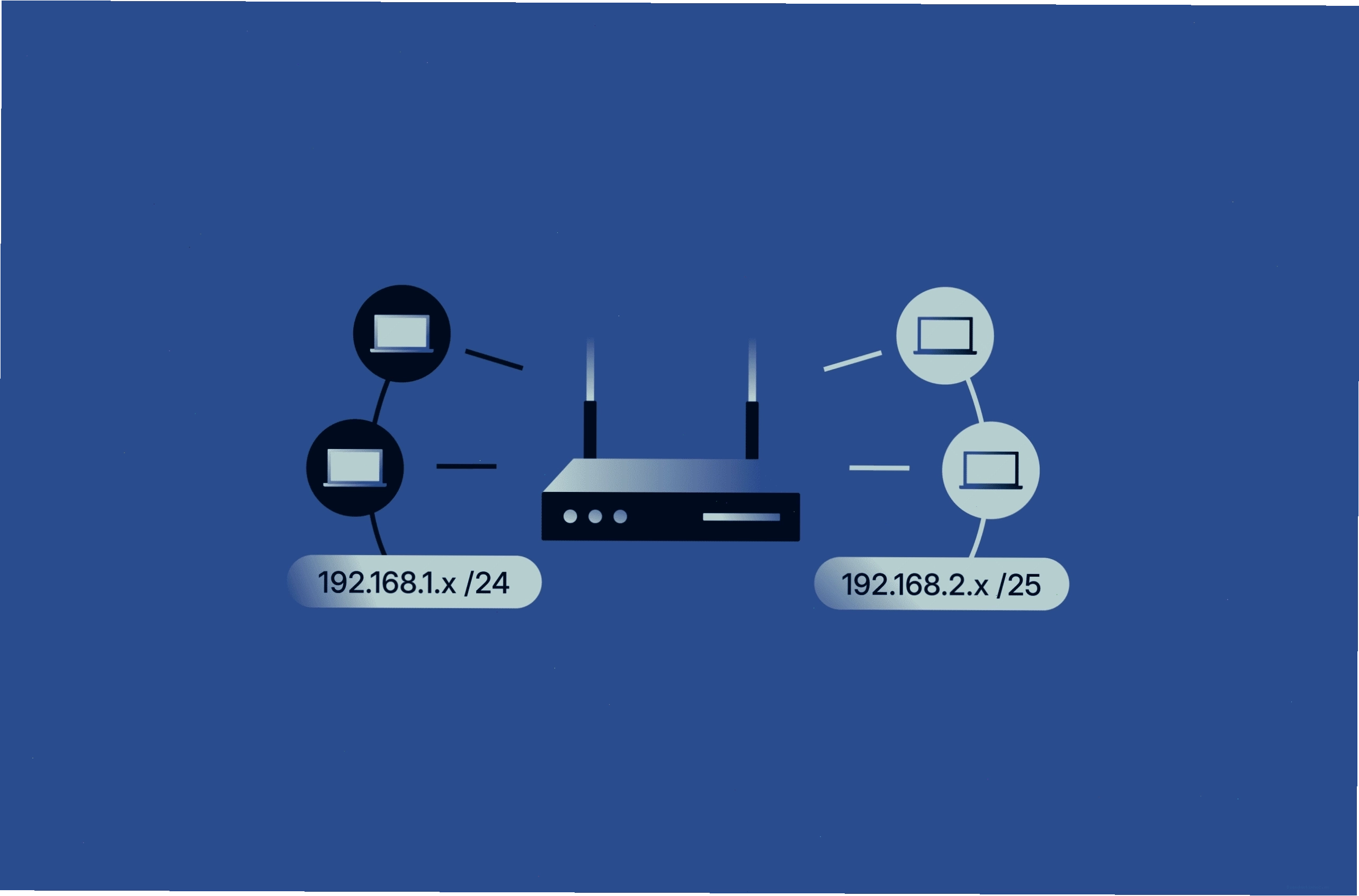
The fundamental reason what is a subnet mask used for is to enable subnetting. Subnetting is the process of dividing a larger IP network into smaller, more manageable subnetworks, or subnets. This offers several significant advantages:
- Improved Efficiency: By breaking down large networks into smaller segments, subnetting reduces the amount of traffic that needs to be processed by each device. Routers can more efficiently direct traffic to the correct subnet, rather than having to consider every host on a massive network.
- Enhanced Security: Isolating network segments through subnetting allows for better control over network access. Security policies can be applied to specific subnets, restricting access between them and preventing unauthorized communication.
- Simplified Administration: Managing smaller subnets is generally easier than managing a single, large network. IP address allocation becomes more organized, and troubleshooting network issues can be more targeted.
Understanding How a Subnet Mask Works
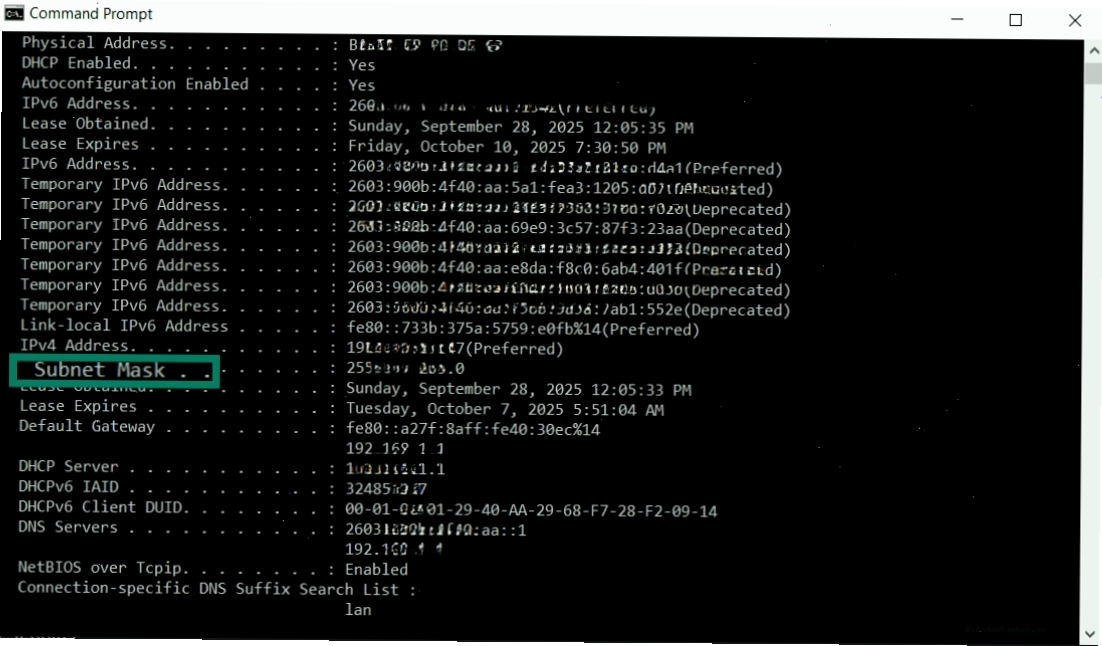
A subnet mask is typically represented in the same dotted-decimal format as an IP address (e.g., 255.255.255.0). It consists of a sequence of ones followed by a sequence of zeros in its binary representation. The ones in the subnet mask correspond to the network portion of an IP address, while the zeros correspond to the host portion.
Consider an example. An IP address of 192.168.1.100 with a subnet mask of 255.255.255.0. When both are converted to binary:
- IP Address: 11000000.10101000.00000001.01100100
- Subnet Mask: 11111111.11111111.11111111.00000000
By performing a bitwise AND operation between the IP address and the subnet mask, the network address is determined. In this case, the first 24 bits (indicated by the ones in the subnet mask) form the network address (192.168.1), and the remaining 8 bits (indicated by the zeros) identify the host (100).
Historically, before the widespread adoption of Classless Inter-Domain Routing (CIDR), IP addresses were categorized into classes (A, B, C) with predefined subnet masks:
- Class A: Network prefix of 8 bits, host number of 24 bits. Subnet Mask: 255.0.0.0
- Class B: Network prefix of 16 bits, host number of 16 bits. Subnet Mask: 255.255.0.0
- Class C: Network prefix of 24 bits, host number of 8 bits. Subnet Mask: 255.255.255.0
However, CIDR has largely replaced this class-based system, allowing for more flexible and efficient allocation of IP addresses through variable-length subnet masks.
Subnet Mask Examples and Their Uses
The flexibility of subnet masks allows for various configurations, each serving different needs. Here are a few examples:
Subnet Mask /24
A common subnet mask is 255.255.255.0, which in CIDR notation is represented as /24. This mask allocates 24 bits for the network portion and 8 bits for the host portion. This typically results in 256 possible IP addresses, with 254 usable addresses for hosts (excluding the network address and broadcast address).
Subnet Mask /20
The subnet mask /20 (255.255.240.0) allocates 20 bits for the network and 12 bits for hosts. This configuration allows for a larger number of hosts per subnet compared to a /24, making it suitable for larger networks or network segments that require more IP addresses. A /20 mask can support up to 4094 host addresses.
Subnet Mask /22
Similarly, the subnet mask /22 (255.255.252.0) uses 22 bits for the network and 10 bits for hosts, supporting 1022 host addresses. This is another example of how subnet masks can be adjusted to meet specific network requirements.
Subnet Mask 29
A subnet mask 29 (255.255.255.248) is a more specific mask, using 29 bits for the network and only 3 bits for hosts. This results in a smaller subnet, typically supporting only 6 usable host addresses. These smaller subnets are often used for specific purposes, such as connecting routers or point-to-point links.
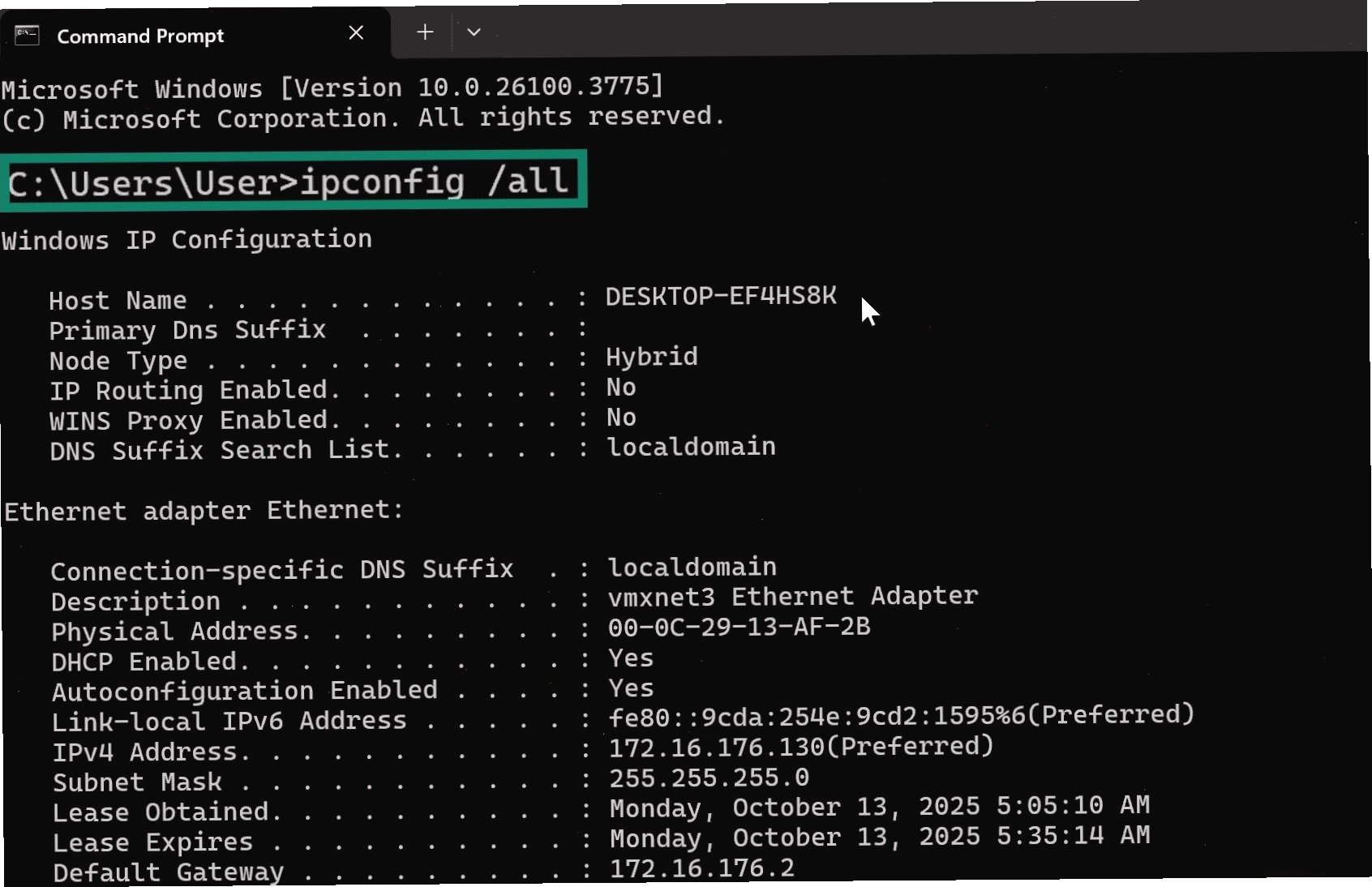
Subnet Mask Cheat Sheet and Considerations
For network administrators, a subnet mask cheat sheet is an invaluable resource. It typically outlines various CIDR notations, their corresponding subnet masks, and the number of usable IP addresses they provide. This helps in planning and allocating IP addresses efficiently.
| CIDR Notation | Subnet Mask | Usable Hosts |
|---|---|---|
| /24 | 255.255.255.0 | 254 |
| /25 | 255.255.255.128 | 126 |
| /26 | 255.255.255.192 | 62 |
| /27 | 255.255.255.224 | 30 |
| /28 | 255.255.255.240 | 14 |
| /29 | 255.255.255.248 | 6 |
| /30 | 255.255.255.252 | 2 |
| /20 | 255.255.240.0 | 4094 |
| /22 | 255.255.252.0 | 1022 |
When choosing a subnet mask, it's essential to consider the current and future needs of your network. Overestimating the number of hosts can lead to wasted IP addresses, while underestimating can result in network growth limitations. Understanding what is a subnet and its role within a network is crucial for effective IP address management.
Subnetting in Cloud Environments like AWS
The principles of subnetting extend to cloud computing environments. In Amazon Web Services (AWS), for instance, Virtual Private Clouds (VPCs) are logically isolated sections of the AWS cloud where you can launch AWS resources. Within a VPC, you create subnets, which are ranges of IP addresses within your VPC. When we talk about what is a subnet in AWS, it refers to these subdivisions of your VPC's IP address range, typically associated with a specific Availability Zone.
AWS VPCs use CIDR notation to define the IP address range for the VPC and its subnets. You choose a primary IPv4 CIDR block for your VPC and then create subnets by associating secondary IPv4 CIDR blocks that are subsets of the VPC's range. This allows for granular control over resource placement and network traffic flow within the cloud infrastructure.

Conclusion: Mastering Network Segmentation with Subnet Masks
Understanding what is a subnet mask is fundamental for anyone working with computer networks. It's not just about dividing an IP address; it's about building more efficient, secure, and manageable network infrastructures. From small home networks to vast enterprise systems and complex cloud deployments, subnet masks play a vital role in how data travels and how resources are accessed.
By mastering the concepts of subnetting and subnet masks, you gain the power to optimize network performance, enhance security postures, and streamline network administration. Whether you're configuring a local network or designing a cloud environment, a solid grasp of subnet masks is an indispensable skill for modern IT professionals. Explore subnet calculators and cheat sheets to further solidify your understanding and practical application.